
Chat Message Auto-Translation
The Chat Auto-Translation feature enables seamless multilingual communication between users by automatically translating incoming messages into a user's preferred language or into a language that is transferred in a GET parameter.
When enabled, chat messages are translated in real time using the Google Cloud Translation API. This allows users from different locales to communicate fluidly without manual translation.
This feature is configurable both at the user level (via the chat UI) and at the project level (via the admin panel).
There are two modes of automatic translation:
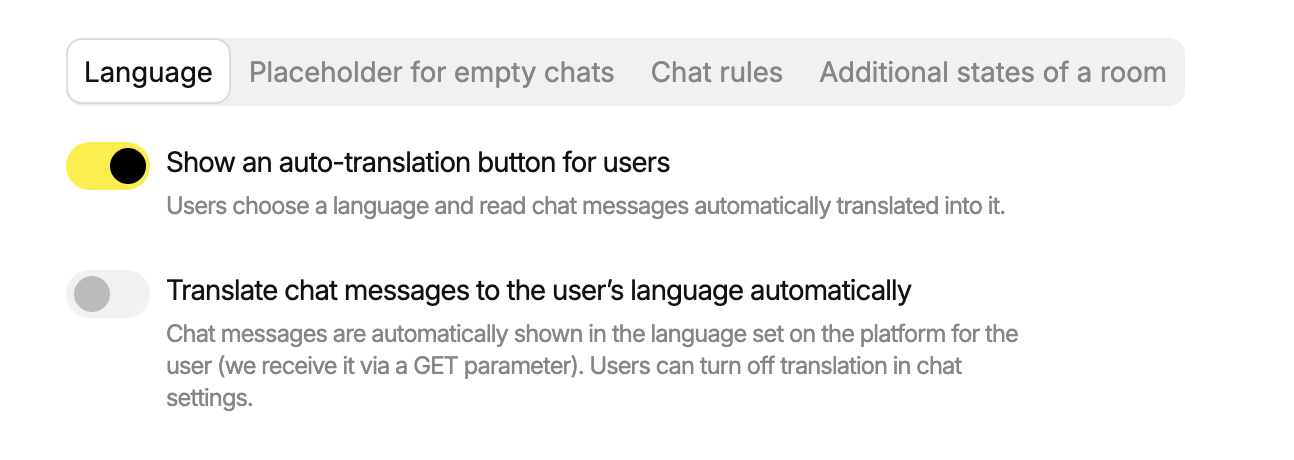
- the first one—**Show an auto-translation button for users—**is managed on the users side (users choose whether they want to activate it and choose a language),
- the second one—Translate chat messages to the user’s language automatically— is managed via GET-parameter but can be activate on the user side as well.
 How Users Enable Translation
If you activate a button for users
-
Toolbar Access: In the chat UI, users can click the translation icon in the toolbar.
-
Initial Setup: If this is the first time, a modal appears allowing the user to:
- Enable auto-translation
- Choose a preferred translation language
- Save settings for current and future chat sessions
-
Toggle Behaviour:
- Clicking the icon again disables the feature
- Language can be changed later via:
Settings → Language
All translated messages are displayed with an option to view the original text.
If you activate a translation via a GET-parameter
Messages are translated for users automatically, but users still can deactivate this translation in their personal settings.
Session Behaviour
- When enabled, all visible and newly loaded messages are translated
- Translations are applied during pagination as older messages load
- User preferences persist across sessions and apply globally to all rooms
How can users change the language
- on the chat with the specific button
- on their personal settings in a chat


Admin Panel Settings
Platform admins can control access to this feature under:
Settings → Language and Localisation
-
Option 1: Show an auto-translation button for users
-
Option 2: Translate chat messages to the user’s language automatically
Pricing Notice
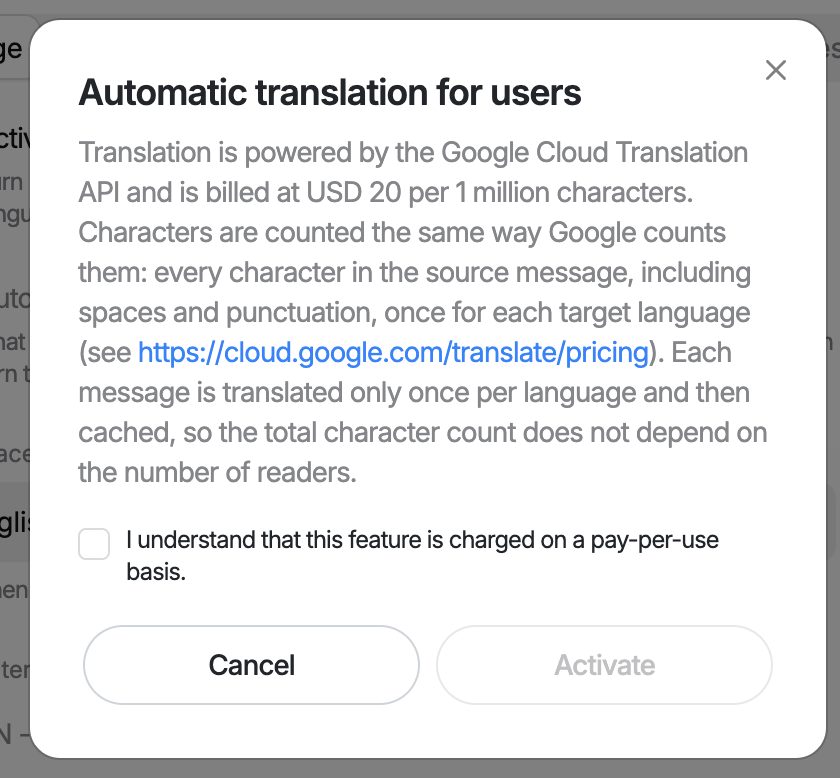
Auto-Translation is a paid feature. Each translated message contributes to your overall usage volume, which may affect billing depending on your plan. Please take this into account when enabling translation, especially in high-traffic environments.
(autotranslate=true) across large user bases may significantly impact overall service costs. Use selectively to optimise billing.
While activating, you need to confirm:
 Related API Options
For information on programmatic activation via URL parameters, see: Forced Auto-Translate
Supported Languages
The list of supported target languages is sourced dynamically from Google Cloud Translation API.